

Overlays - A quick way to transform your pictures
- Lenas Eriksson

- Mar 15, 2020
- 2 min read
Updated: Mar 17, 2020
When I started out in photography and editing, overlays were my little helpers to transform my pictures from ordinary to magical. But what exactly is an overlay? How do you use it and where do you get it from?


A short guide to overlays
Overlays are images or textures that you add as an additional layer to your pictures using an editing program. With that technique you can add elements or textures that weren't in the photograph when you took it. During the editing process you simply drag and drop an overlay onto your image in an editing program and adjust it by changing the blending modes and opacity. Overlay elements can be pretty much anything you like as rain, snow, glitter, leaves, petals, clouds, smoke, sunlight, fairy dust, bokeh and so on.
Tiny effort, huge effect
Overlays are image files. They often come as PNG files with a transparent background or as JPEG files. You simply download and save your overlays on your computer or mobile phone. Open the photograph that you want to edit in your editing program. Then add the overlay file.
In Photoshop for instance you navigate to your top menu bar and select: File-> Place Embedded. Now you can adjust by changing the blending mode, opacity, contrast and colors or even erase parts of the overlay by using layer mask. Overlays that come with a black background need to be put on blending mode -> Screen.
In editing apps on your phone the process looks similar. Open the photograph you want to edit, add the overlay and adjust it until it fits perfectly to the look you want to achieve. If you want to learn more navigate to our tutorials.
Show us your results
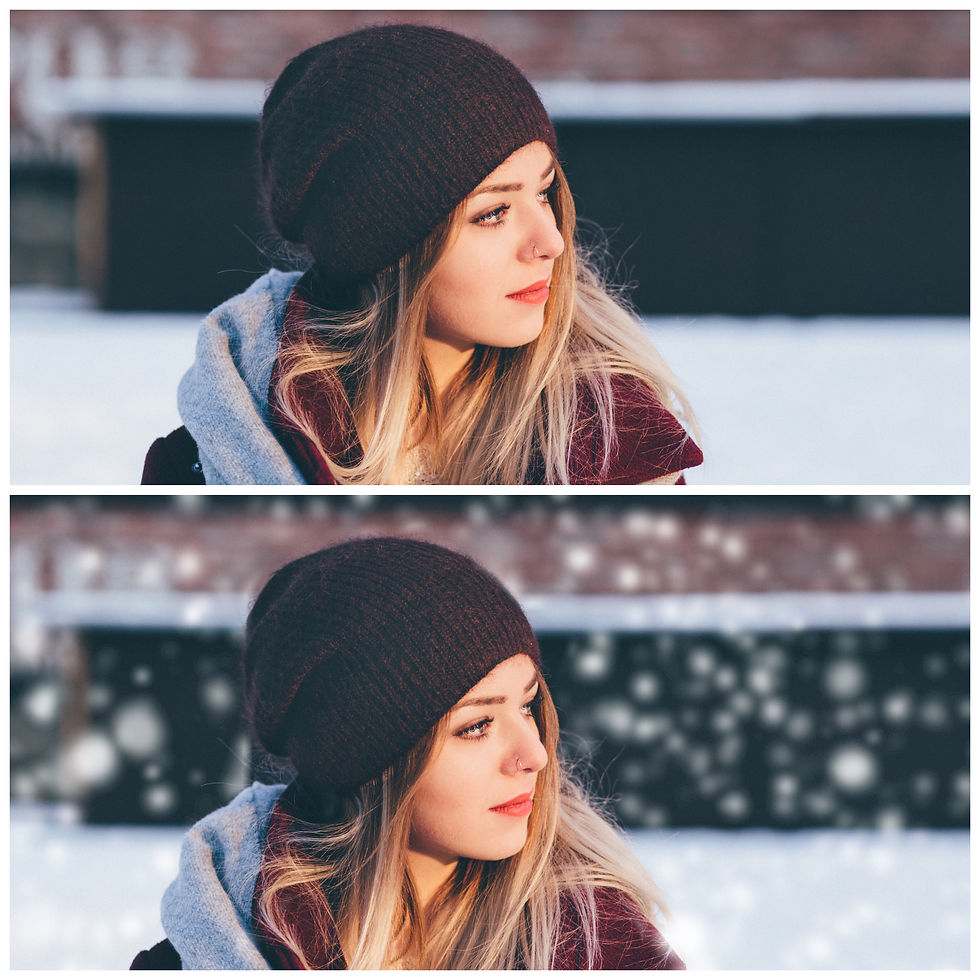
Finding overlays online is easy, finding great overlays isn't. Try our sets of high-resolution overlays by signing up to our mailing list and show us your results. Use our overlays and tag your creations with
#lenasoverlays when posting in social media.
Leave us a comment below if you have any questions or comments about using Overlays - we would love to hear from you!


Comments